
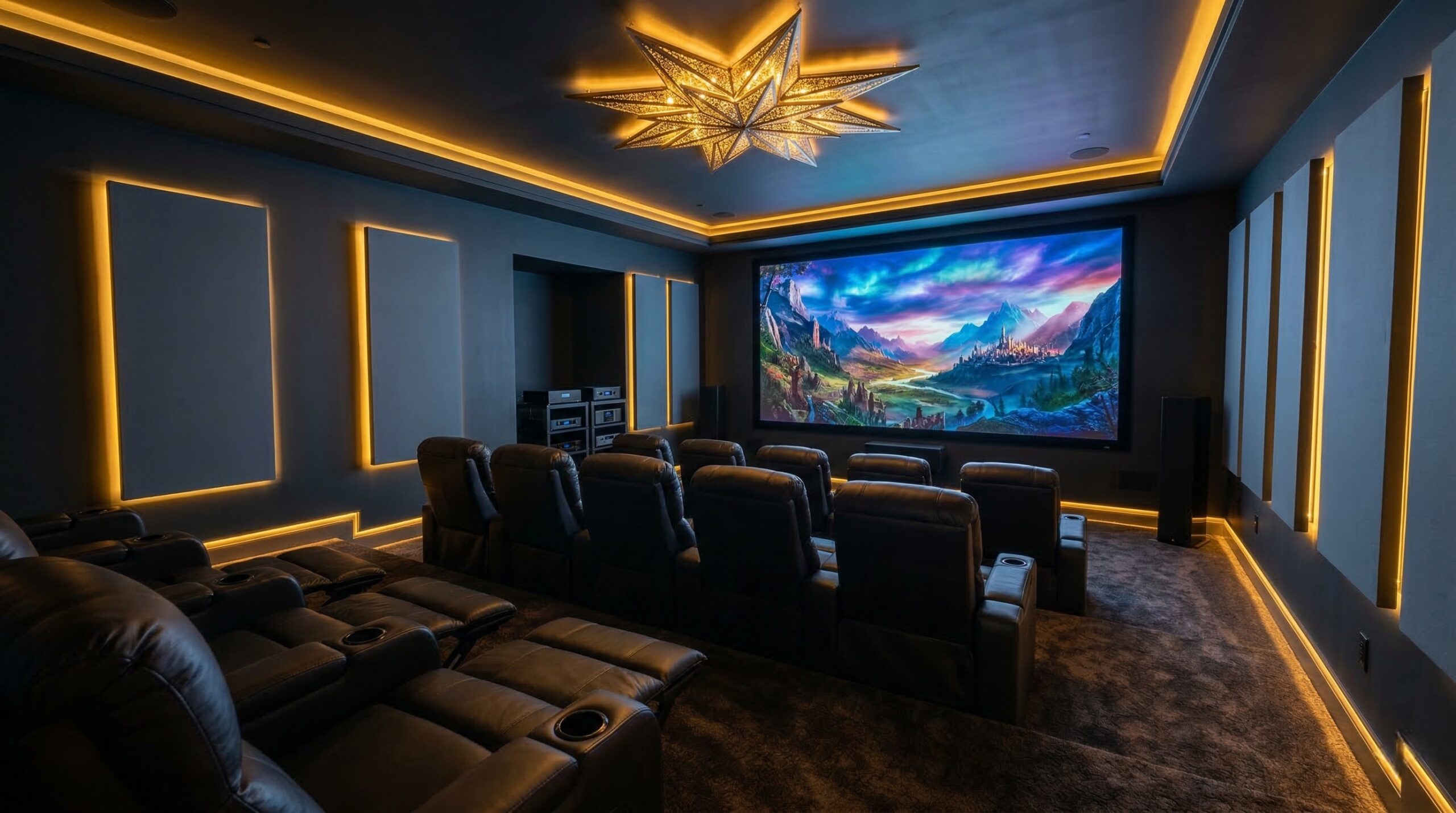
TL;DR
The best compact smart projector for you is not simply the one with the biggest advertised screen size. If you are shopping beyond the XGIMI MoGo line, focus first on real ANSI or ISO brightness, native 1080p resolution, reliable streaming app support, and setup features that match how you actually watch.
Choose a battery-powered model if you need travel, backyard, dorm, or room-to-room flexibility. If picture quality matters more than cordless convenience, a brighter plug-in compact projector is usually the better value.
What XGIMI MoGo Alternatives Actually Are
XGIMI MoGo alternatives are compact smart projectors built around the same basic promise: a portable all-in-one theater box with a light engine, streaming platform, speakers, autofocus, keystone correction, and easy setup tools in one small body. They are usually aimed at bedrooms, apartments, dorm rooms, travel, backyard movie nights, and casual gaming rather than fully treated home theaters.
The formula sounds simple, but the tradeoffs matter. A MoGo-style projector is typically smaller and easier to move than a traditional home theater projector, but it also has less physical room for a powerful light engine, large speakers, cooling, lens hardware, and generous connection ports. That means the best alternative depends less on one headline spec and more on how the whole package behaves in your room.
Brightness is the first filter. Many mini projectors advertise large maximum screen sizes, but a 100-inch image only looks satisfying if the projector has enough light output for that size and room condition. For apples-to-apples comparisons, look for ANSI or ISO lumen ratings instead of vague “LED lumens” or marketing brightness claims. The ISO/IEC 21118 projector brightness standard is one reason ISO-style brightness numbers are more useful than inflated terminology, and projector databases such as ProjectorCentral can help you compare throw distance, screen size, and brightness expectations before buying.
Resolution is the second filter. A projector may “support” 1080p or 4K input while still displaying a lower native image. For movies, subtitles, sports graphics, game menus, and larger screen sizes, native 1080p should be the baseline for most buyers. Lower native resolutions can still work for kids’ rooms, quick travel viewing, or small images, but they are easier to outgrow.
Streaming support is the third filter. Android TV or Google TV does not automatically mean licensed Netflix. Some portable projectors handle YouTube, Prime Video, Disney+, and Hulu well but still need a Fire TV Stick, Chromecast, Roku, or other HDMI streaming device for the apps you use most. Before choosing an alternative, verify the app platform, HDMI port availability, USB power output, Wi-Fi support, Bluetooth audio behavior, and update history.
Finally, remember that setup convenience is part of the product category. Autofocus, auto keystone, a tripod socket, an integrated stand, a built-in battery, and decent speakers can matter more than small spec differences if you move the projector often. In a dedicated room, though, physical placement, lens quality, contrast, color accuracy, and external audio support become more important. Standards bodies such as SMPTE motion imaging standards help frame why viewing conditions, screen size, and image quality are connected rather than separate choices.
Who XGIMI MoGo Alternatives Fit Best
XGIMI MoGo alternatives fit buyers who want a simple, movable projector more than a permanent theater appliance. If your ideal setup is “put it on a shelf, point it at a wall, sign into streaming apps, and start watching,” this category makes sense. These projectors are designed for convenience-first viewing, especially when a TV would be too bulky, too permanent, or too expensive for the room.
They are a good fit for apartment renters who cannot mount a large TV, students who want a big dorm-room image without hauling a heavy display, and families who want a projector that can move from the bedroom to the backyard. They also make sense for occasional outdoor movie nights, provided you understand that most compact LED models need real darkness to look their best. Porch lights, patio string lights, and nearby streetlights can wash out the image faster than new buyers expect.
This category also works well for viewers who value automatic setup. Autofocus and auto keystone can save time when the projector is constantly being moved. If you watch in different rooms, place the projector on a nightstand one night and a coffee table the next, or carry it on trips, those setup tools are not gimmicks. They reduce friction, and reduced friction often means you use the projector more often.
MoGo-style alternatives are also appealing if you want a self-contained device for casual streaming. Built-in speakers are rarely a match for a real soundbar or AV receiver system, but they are convenient for bedrooms, kids’ spaces, and travel. If you mostly watch dialogue-heavy TV, YouTube, anime, sports highlights, or casual movies at moderate volume, built-in audio may be enough. If you want deep bass, wide dynamics, or a larger outdoor crowd, plan for an external speaker.
For image quality, the sweet spot is the buyer who watches mostly at night or in a dim room and wants an image around 60 to 90 inches. Many compact projectors can claim larger images, but perceived brightness drops as the image gets bigger. If you want to push past 100 inches, use a screen rather than a textured wall, darken the room, and choose one of the brighter alternatives with a clearly stated ANSI or ISO lumen rating.
They are also useful secondary displays for console and handheld gaming, but only if you check input lag and game mode support. Casual Nintendo Switch, retro gaming, and party games are usually less demanding. Competitive shooters, rhythm games, and fast sports titles are less forgiving. If gaming is a primary use, prioritize low latency over smart features.
In short, the ideal buyer wants portability, speed, and a big casual image more than reference-grade black levels or a cinema-room installation. If that describes your use, this category can be a lot more satisfying than buying a budget full-size projector that is technically brighter but far less convenient to set up every night.
Who Should Skip XGIMI MoGo Alternatives
You should skip most XGIMI MoGo alternatives if you need strong daytime performance. Compact portable projectors are usually at their best in dark or heavily dimmed rooms. Even models with respectable brightness for their size can struggle against daylight, overhead lamps, white walls, and large screen sizes. If you want to watch sports on a Saturday afternoon with the blinds open, a brighter living-room projector or a TV is usually the smarter choice.
You should also skip this category if you expect true home theater contrast. Portable LED projectors can look pleasant and colorful, but they generally cannot match larger home theater models for black levels, lens quality, brightness headroom, and installation flexibility. Dark scenes in movies are the stress test. In a room with light-colored walls or ambient light, shadow detail can flatten quickly.
Buyers who are sensitive to app limitations should be cautious too. Not every smart projector has every app, and not every app behaves equally well over time. Netflix is the most common frustration point because some projectors lack native licensed support even when they run a familiar TV operating system. If you do not want to troubleshoot apps, sign-ins, sideloading, or streaming stick power, choose a model with confirmed support for your main services before buying.
This category is also not ideal for buyers who need a clean permanent installation. Many compact projectors lack lens shift, have limited optical zoom, and rely heavily on digital keystone correction. Digital keystone is useful, but it reshapes the image electronically and can reduce effective sharpness. A physically centered projector with minimal correction will usually look better than an aggressively angled setup.
Skip battery-first models if you care most about maximum brightness. Battery mode may lower brightness to extend runtime, and advertised battery life may apply to eco settings, lower volume, or smaller images. If you mostly watch near an outlet, paying for a battery can be less useful than paying for a brighter plug-in light engine.
People planning to mount a projector overhead should also think carefully. Small does not mean risk-free. Use a mount rated for the projector’s weight, follow the manufacturer’s installation instructions, and secure it into an appropriate structural surface rather than relying on drywall alone. Electrical safety and permanent wiring questions are areas where a CEDIA-certified home theater installer can help, and the NFPA 70 National Electrical Code is the key US reference for electrical installation requirements.
Finally, skip the category if you want a projector to replace a high-quality TV in a bright multipurpose living room. A portable projector can be fun and flexible, but it is not magic. If brightness, contrast, sharpness, and reliability under varied lighting matter more than portability, look at brighter home theater or lifestyle projectors instead.
Price and Value
Price in the MoGo-alternative category is mostly a tradeoff between brightness, resolution, portability, software, audio, and setup automation. Budget mini projectors may look tempting, but the lowest-cost options often cut corners on native resolution, brightness accuracy, focus uniformity, fan noise, app support, and warranty quality. They can still be useful for occasional viewing, but they are rarely the best long-term buy for movies or sports.
For most US buyers, the value zone starts when a projector offers native 1080p resolution, a credible ANSI or ISO lumen rating, autofocus, usable keystone correction, HDMI input, and a smart platform that supports your main apps or works cleanly with a streaming stick. A slightly more expensive model can be worth it if it prevents the two most common regrets: an image that is too dim and software that is too limited.
Battery-powered models deserve a separate value calculation. A built-in battery is worth paying for if you will actually use the projector away from outlets: camping, backyard viewing, hotel rooms, outdoor gatherings, or moving between rooms without a power cable. If the projector will live on a shelf beside an outlet, that money may be better spent on brightness, contrast, or speakers.
Licensed Netflix support can also affect value. If the projector has the apps you need built in, you get a cleaner, more portable setup with fewer cables. If it does not, the fix may be simple: add a streaming stick. But that adds cost, uses the HDMI port, may require USB power, and can make the setup less tidy. For some buyers, a cheaper projector plus a trusted streaming device is the best route. For others, paying more for native app support is worth the convenience.
Speakers are another value point. Portable projectors with better built-in audio can save you from packing a Bluetooth speaker or running a cable. Still, audio performance is limited by cabinet size. If you want movie-night impact, make sure the projector has the right output for your speaker system: Bluetooth, 3.5 mm analog, HDMI ARC, or another practical connection. For late-night headphone use, check latency reports, because Bluetooth delay can be distracting when lips and dialogue do not line up.
Do not overpay for maximum screen-size claims. A projector that says it can produce a 150-inch image may not look good at 150 inches in a real room. Brightness, throw distance, wall color, screen gain, focus uniformity, and content type all affect the usable size. A sharper, brighter 80-inch image is often more enjoyable than a dim 120-inch image.
Also consider total ownership. LED and laser light engines usually avoid the lamp-replacement routine of older lamp projectors. If you consider a lamp-based alternative for higher brightness at a lower price, remember that mercury-containing lamps require proper handling and disposal. The US Environmental Protection Agency offers guidance on recycling and disposal of bulbs that contain mercury.
The best value is not always the cheapest projector or the most feature-packed one. It is the model whose compromises line up with your room. A bedroom viewer may get more value from quiet operation and autofocus. A backyard viewer may need battery power and louder speakers. A movie fan may care most about brightness, native 1080p, and lower reliance on keystone correction.
Common Mistakes When Trying XGIMI MoGo Alternatives
The most common mistake is buying by advertised screen size. Portable projectors often list very large maximum images, but those numbers do not guarantee a bright, crisp picture at that size. As the image grows, the same light is spread over a larger area. If you want a picture above 80 or 100 inches, brightness becomes much more important, especially with dark movies or any ambient light.
The second mistake is confusing supported resolution with native resolution. A projector that accepts a 4K signal may still display it at 1080p, 720p, or lower. For streaming movies, subtitles, sports scoreboards, and game menus, native 1080p is the safer baseline. If the listing emphasizes “4K supported” but hides the native resolution, slow down and verify the actual display resolution.
The third mistake is assuming every smart projector supports Netflix. Many buyers see Android TV, Google TV, or an app store and assume Netflix will work like it does on a TV. That is not always true. Before buying, confirm native licensed Netflix support if Netflix is important to you, or plan on using an external streaming stick. Also confirm there is an HDMI port available and enough USB power to run the stick cleanly.
The fourth mistake is relying too much on keystone correction. Auto keystone is convenient, especially for quick setup, but it is not a substitute for good placement. Heavy digital correction can reduce effective resolution and may create a smaller usable image. Whenever possible, place the projector level, centered, and at the right height. Use keystone to fine-tune, not to rescue an extreme angle.
The fifth mistake is overlooking throw distance. Every projector has a throw ratio that determines how large the image will be from a given distance. A compact bedroom may not have enough space for the screen size you want, while a deep living room may force the image too large. Before buying, measure the distance from the planned projector position to the wall or screen, then compare that with the projector’s throw specifications.
The sixth mistake is forgetting that wall quality matters. A plain white wall can work for casual viewing, but texture, paint sheen, color tint, and uneven surfaces can soften the image or shift colors. A portable screen or smooth matte surface can make a noticeable difference. If you are chasing better picture quality before upgrading the projector, improving the projection surface is often the cheaper first move.
The seventh mistake is ignoring sound. Built-in speakers are fine for casual use, but outdoor movie nights, larger rooms, and action movies may need more volume and bass. Check audio outputs before buying. Bluetooth is convenient, but latency can be an issue. A wired output or HDMI ARC support may be better for sync and reliability.
The eighth mistake is expecting battery performance to match plugged-in performance. Some portable projectors dim the image in battery mode. Advertised runtimes may also depend on eco mode, lower brightness, lower volume, or specific content. If cordless use is central to your plan, read owner impressions carefully and look for real-world runtime comments at usable brightness.
The ninth mistake is buying without thinking about heat and fan noise. Small projectors need cooling, and quieter models are easier to live with in bedrooms. Fan noise is especially noticeable during quiet movie scenes or when the projector sits close to your head. If you are sensitive to noise, prioritize models with consistent owner feedback on quiet operation.
The tenth mistake is treating a portable projector like a toy when mounting it. If you mount above a bed, sofa, or walkway, use proper hardware and follow load ratings. If permanent wiring or ceiling work is involved, consult a qualified installer. For a broader building-safety reference point, the ICC International Code Council provides model code resources used across construction and safety planning.
FAQ
Are XGIMI MoGo alternatives bright enough for daytime use?
Most compact portable projectors are not ideal for daytime use unless the room is heavily controlled. They work best at night, with curtains closed, or in a dim bedroom. If you plan to watch with lamps on or sunlight in the room, choose a higher ANSI or ISO lumen model and keep the image size moderate.
Is native 1080p necessary in a portable projector?
Native 1080p is strongly recommended for most buyers. It makes subtitles, sports graphics, streaming menus, and larger movie images look cleaner. Lower native resolutions can be acceptable for kids’ rooms, travel, or small casual images, but they are easier to notice once you project big.
Do all compact smart projectors support Netflix?
No. Some compact smart projectors include Android TV or Google TV but still lack native licensed Netflix support. If Netflix is one of your main apps, verify support before buying or plan to use an external streaming stick through HDMI.
Should I choose a battery-powered projector or a plug-in model?
Choose a battery-powered projector if you want backyard use, travel flexibility, camping, or quick room-to-room viewing without hunting for an outlet. Choose a plug-in model if brightness, consistent performance, and image quality matter more than cordless operation.
Does auto keystone reduce picture quality?
It can. Keystone correction digitally reshapes the image, which can reduce effective sharpness and shrink the usable picture area. Autofocus and auto keystone are helpful for fast setup, but physical alignment is still the best approach when you want the sharpest image.
Can I use a streaming stick with a MoGo-style alternative?
Usually, yes, as long as the projector has an HDMI input. For the cleanest setup, also check whether the projector has a USB port that can power the streaming stick. If not, you may need a separate power adapter, which makes the setup less portable.
What screen size is realistic for a compact portable projector?
For many compact models, 60 to 90 inches is the practical sweet spot in a dark room. Larger images can work with brighter models and a good screen, but brightness drops as image size increases. A smaller bright image often looks better than a huge dim one.
Are portable projectors good for gaming?
They can be good for casual gaming, especially with a console, handheld system, or retro setup. For competitive games, check input lag and look for a game mode. Also avoid heavy keystone correction when gaming, because processing and image scaling can affect responsiveness and sharpness.
Looking for these on Amazon? Browse xgimi mogo alternatives on Amazon →
Bottom Line
The best alternative to a MoGo-style projector is the one that fits your room first and your spec wish list second. Start with real brightness, native resolution, app support, throw distance, and placement flexibility before getting distracted by maximum screen-size claims.
If you want a simple projector for bedrooms, travel, dorms, and dark-room movie nights, a compact smart model can be a very satisfying buy. If you want bright daytime viewing, deep theater contrast, or a permanent large-screen installation, move up to a brighter home theater or lifestyle projector instead.
Affiliate disclosure: Some links on this page are affiliate links. Purchases through them support our work.